 |
WHISKEY FOR NOT REAL RADIO:THE BLOG |
| |
WHISKEY FOR NOT REAL RADIO:THE BLOG |
"Wait, your what hole?" That's a fair question. In the mid-1990s, not long before HTTP became a thing, some nerds at the University of Minnesota were tasked with creating an information navigation system better than the File Transfer Protocol. It was a text-based server-client concept that displayed files linked in a structured way. They called it the Gopher protocol. HTTP pretty much consumed it within a decade, because websites could do virtually everything Gopher sites could do and much more. So what? Well, Gopher sites are far easier to host and write than HTML websites. They don't load any content other than text without user intervention, so Gopher sites are damn lightweight. This comes in handy when you have limited computer resources and low bandwidth.
I won't go deeply into hypothetical use cases. Suffice it to say if we had a situation where there was no commercial internet and limited power availability, hosting documents ad hoc via Gopher becomes extremely handy. Everything on this site is (or will be) replicated on the Gopher hole.
As of today, the W4NRR Gopher server is running on a Raspberry Pi Zero 2 W. I have been fascinated with single-board computers since I found out about the Raspberry Pi around 2015. I make it a point to create a dedicated project for each model since the 2B. I am a little behind in that pursuit, but this Gopher server is my chance to put a R Pi Z2W to use. And really, what a great pairing:a deeply limited computer running a deeply limited server!
I have a Pi Zero and P Zero W, so I'm no stranger to how limited they are. I installed Raspbian on them to start. Of course they are not desktop replacement computers, so I dedicated them to retro gaming emulation and amateur radio digital voice hotspot use, respectively.
When I got the Pi Zero 2 W, I did the same - installed Raspbeery Pi OS on it. I quickly found out that Raspberry Pi OS outgrew the Pi Zero 2's resources. Sure, it'll run, but it's noticably slow even when opening desktop menus. This is significantly worse than nearly a decade ago with the Zero W and Raspbian. That's both disappointing and concerning, but that's a rant for another day.
But of course a desktop environment isn't needed for a Gopher server, so I considered using Raspberry Pi OS Lite, maybe in the 32bit variety. I looked around first, seeing if anyone else had a maximally light OS for a Pi Zedro. I found that DietPi takes "lite" to another level. What makes DietPi really special though is the autoconfiguration menu system that gives lazy users like me the ability to cherry pick features for the system while scripts do the hard work toward optimizing them. The best part is IT ACTUALLY WORKS! I have been down this road before with other distros that promise a lot of automation and deliver a lot of bullshit and heartache.
I dicked around with DietPi, installed LXDE but didn't configure it to start on boot so I can choose a GDE only in the event I needed one. LXDE also gives me the option to run Openbox alone in an X11 session, saving significant memory usage over full LXDE. I ensured there were no audio or WiFi systems running. I went with a wired connection and configured it manually to save about 4MB by not running DHCP.
Every MB counts when you start with less than 512.
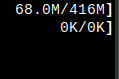
Then I went to installing and configuring Gophernicus. That was trivial not just because Gophernicus is pretty straightforward, but also because I just set it up for the first time two months ago. I'm sure I have some more work to do, but this Gopher hole is now running comfortably on a smol boi R Pi Z2W.
Until next time, be kind or get rekt.